
Products
Four systems, each built for one job
Not a suite. Each one solves a problem we understood properly before we wrote any of it. What follows is the two or three things each is best at, and a picture of the real screen doing them.

Traveltour.io
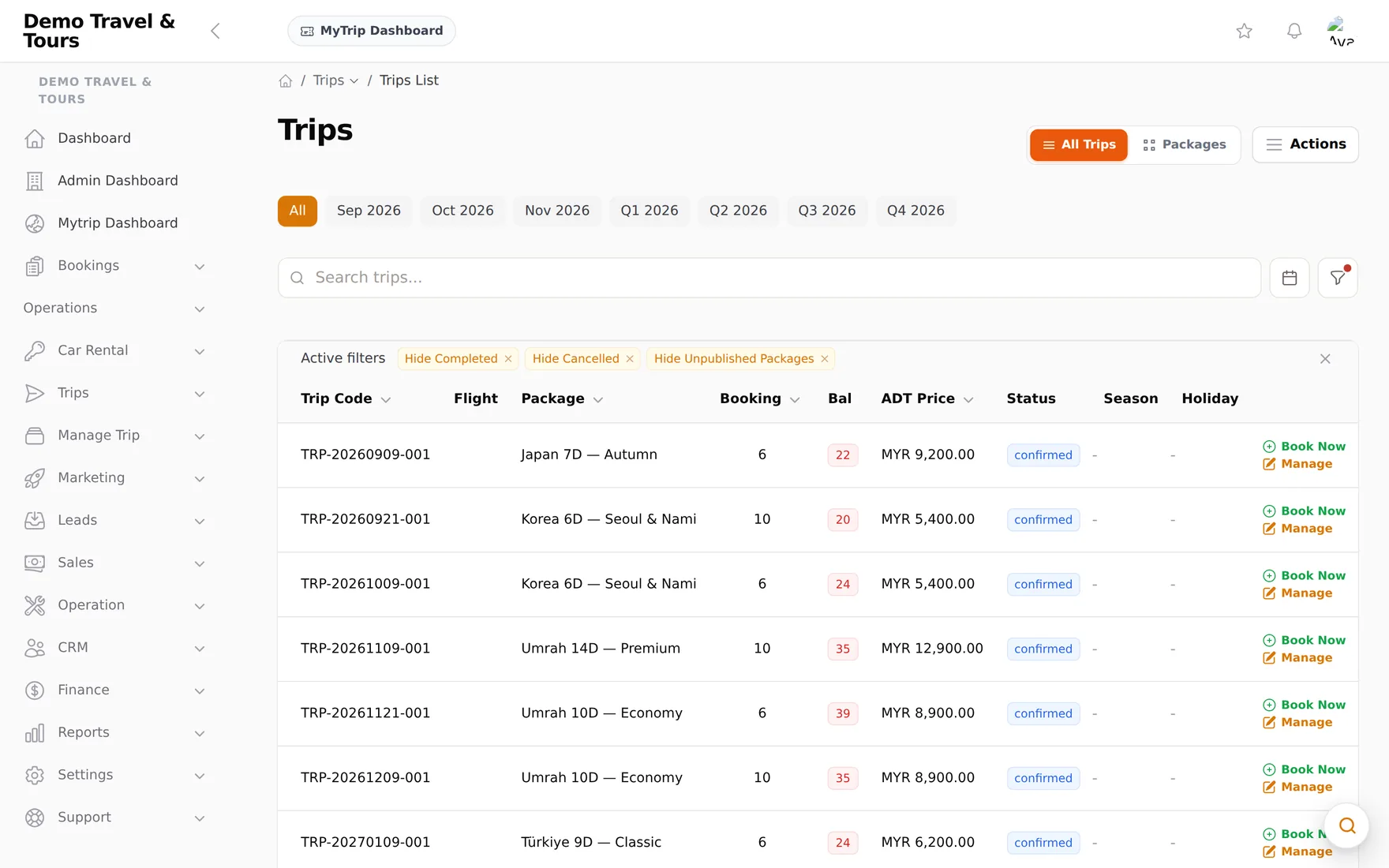
Operations for a travel agency, from the day a package is drawn up to the day the last instalment lands. Packages and departures, seats, bookings, invoices and the money, in one system instead of a dozen WhatsApp threads and a spreadsheet.
-
Seats that stay correct
Open trips, private tours and day trips, each with a day-by-day itinerary, tier pricing, rooms and add-ons. A booking takes its seats off the departure it belongs to, so what the catalogue says is what is actually left.
-
Instalments, and the chasing that goes with them
An invoice can be one payment or four. Customers pay online through Billplz, receipts are issued automatically, and each instalment carries its own due date and its own reminder rather than waiting for somebody to remember it.
-
A sales page per campaign
Drag the sections into place, or let the AI assistant draft the copy and the layout, then publish to a link that goes straight into a WhatsApp broadcast. No website, no designer.
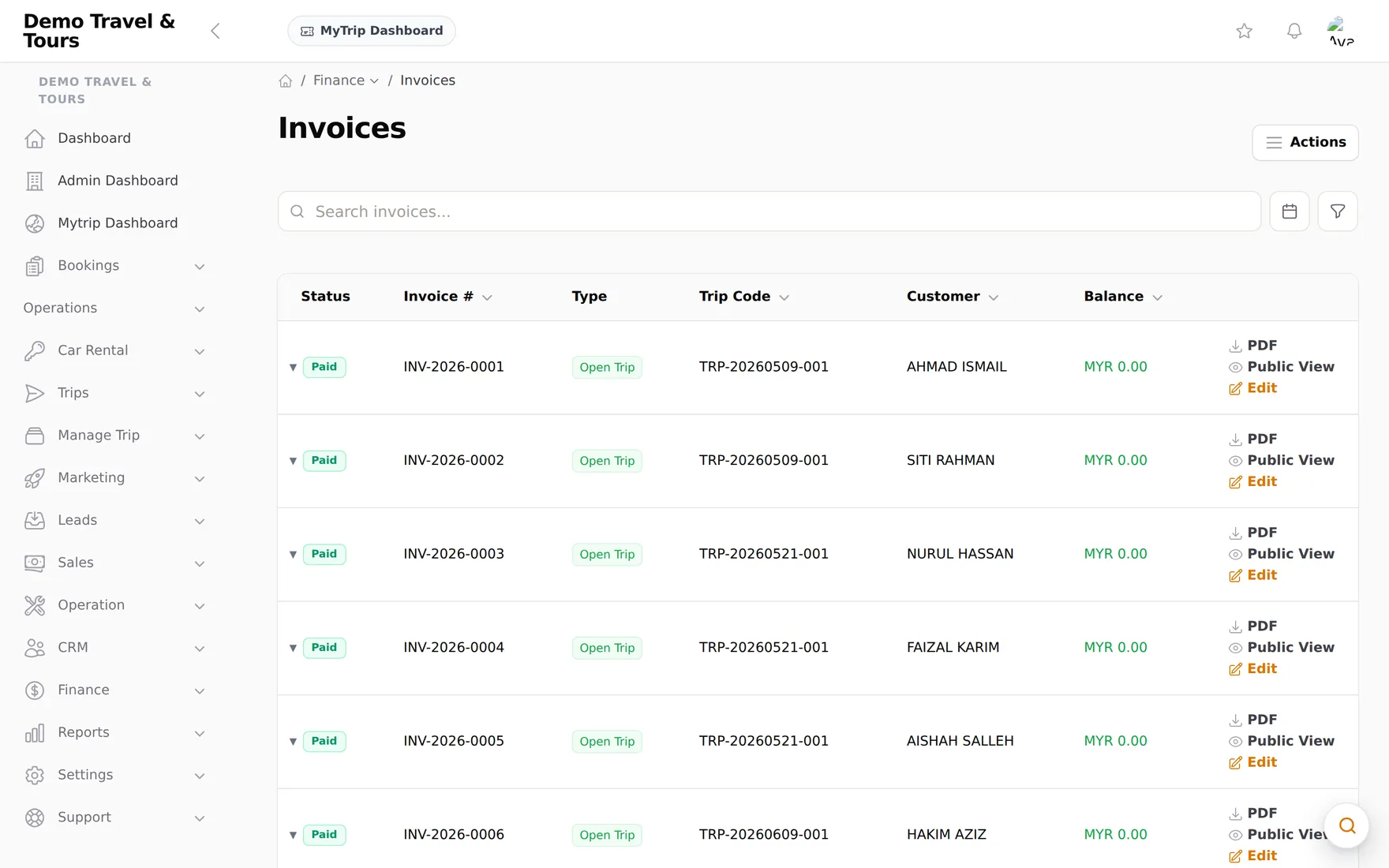
And the rest of the working day: trip calendar and duty roster, commission rules, expense approvals, quotations with digital signing, post-trip reviews, and a customer portal where travellers track their own booking. Every agency on its own subdomain, with its own branding.

CHATZ
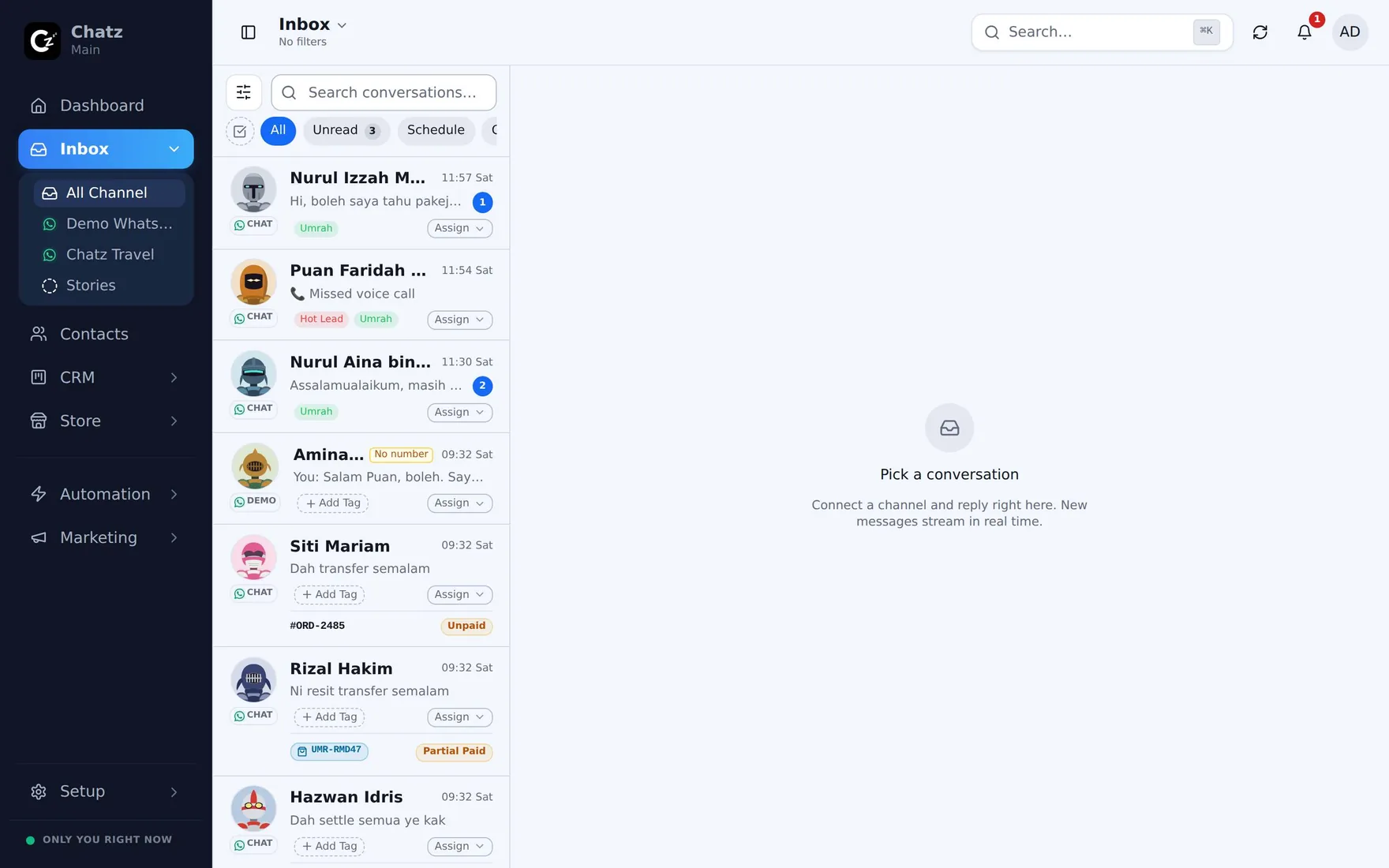
One workspace for every conversation a business has. WhatsApp, Instagram, Messenger, email and voice arrive in a shared inbox the whole team works out of, with the customer's orders and payments beside the thread.
-
A queue that shows the deal, not just the chat
Every row carries the assignee, the tags, the order number and its live payment badge, so a supervisor can read the whole queue without opening a single thread.
-
Automation on a canvas, AI only where it earns it
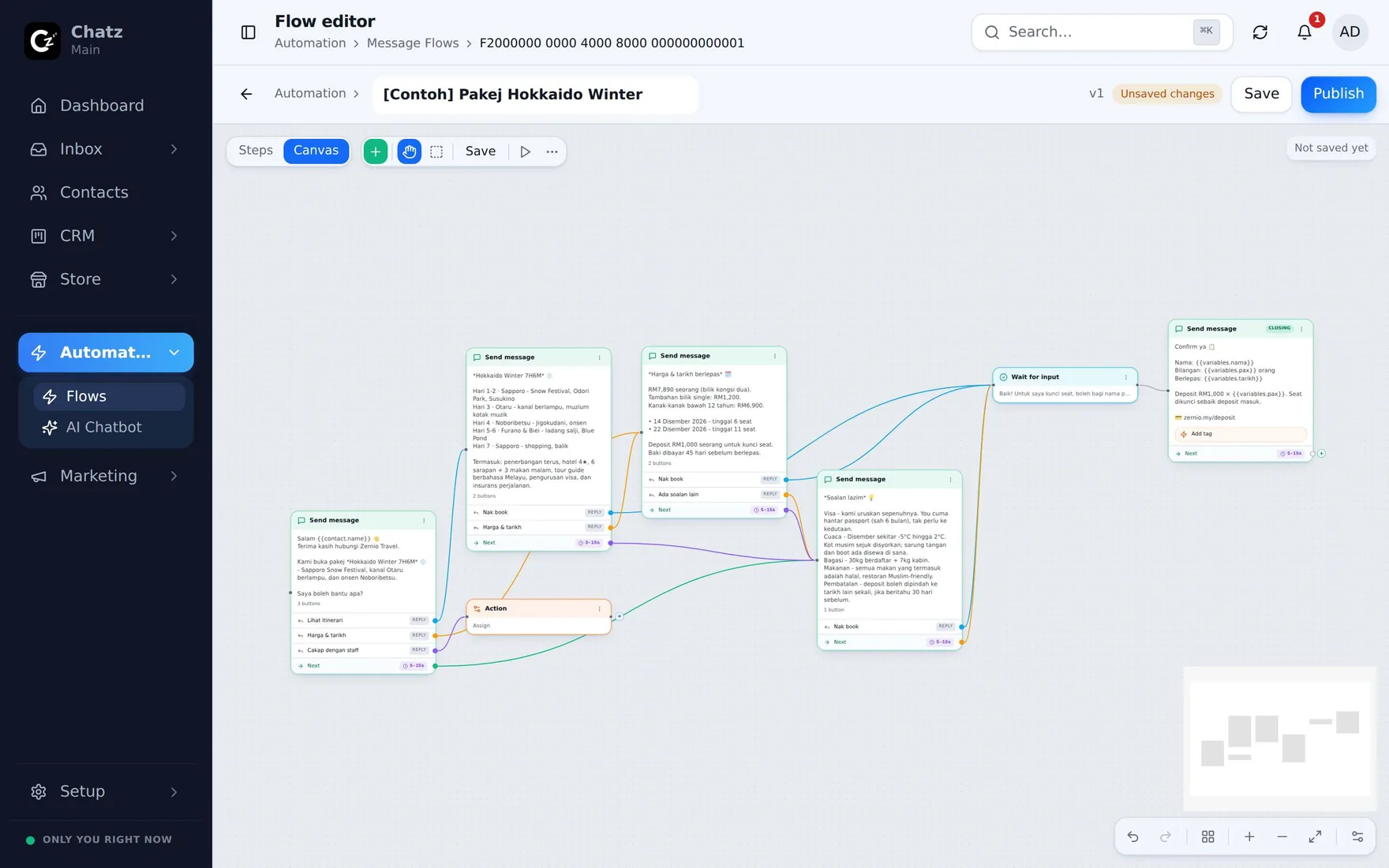
The greeting, the package details, the price list and the booking steps are a flow, and a flow costs nothing to run. The AI chatbot is attached inside that flow at the one point where free-form judgement is worth paying for.
-
Invoice in the thread, status that updates itself
Raise the invoice where the deal happened. The customer pays on their own link through CHIP, and when the money lands the conversation row, the thread and the contact panel all say so without anyone typing it.
And the rest of it: broadcasts and drip campaigns, appointments with reminders on both WhatsApp and email, a storefront and order forms, a web chat widget, missed-call alerts, and iOS and Android apps for selling away from a desk.

HRWork
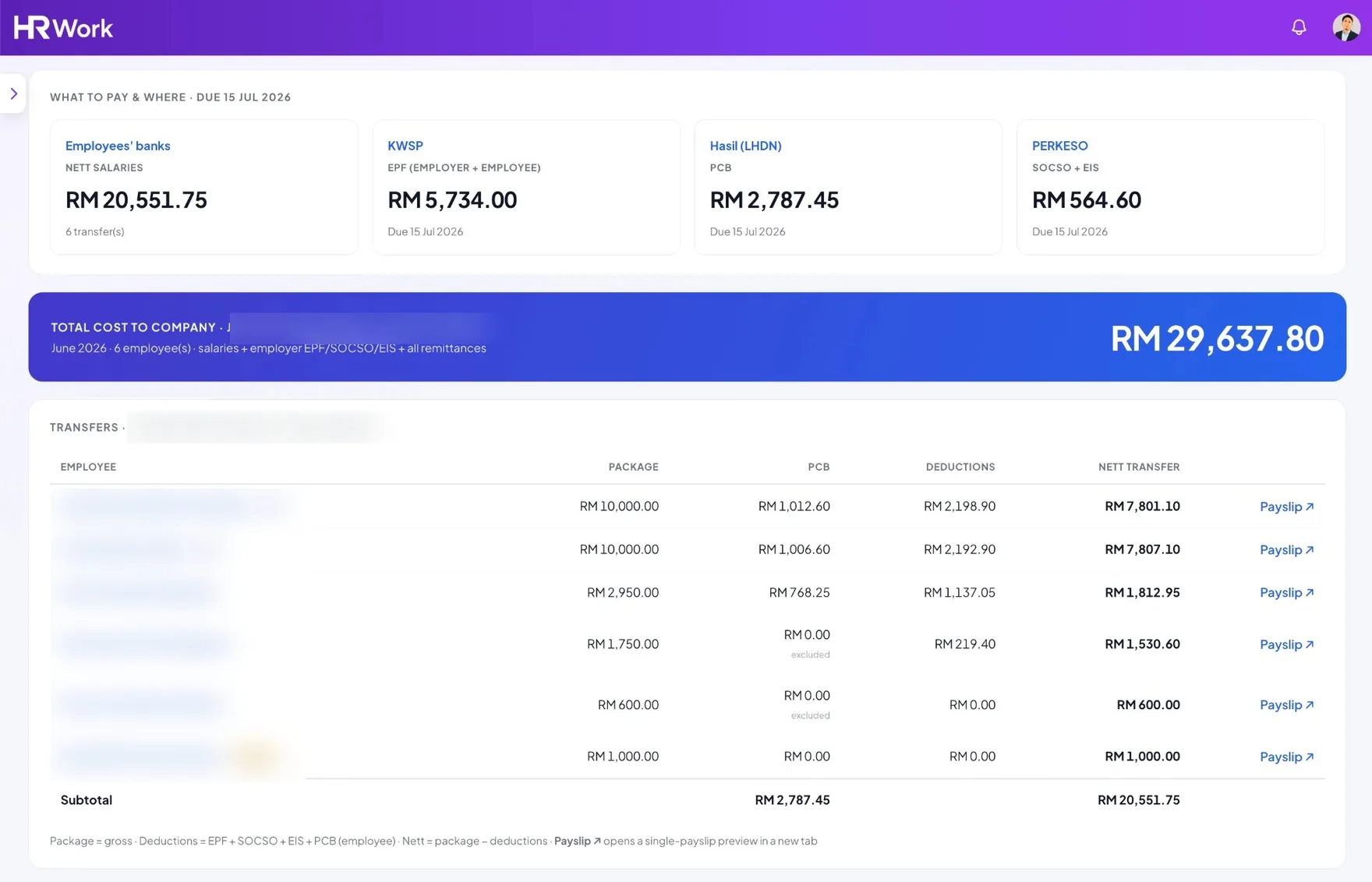
HR, payroll and attendance for a Malaysian company, in one place, from the offer letter to the payslip. On a desk and in a pocket: the phone app is the same system, not a cut-down view of it.
-
Payroll that already knows the tables
EPF from the KWSP Third Schedule, SOCSO including SKBBK, EIS, and PCB from the LHDN computerised MTD specification. One screen produces the payslips, the payment vouchers and the EA Forms, and says what to pay where, with each due date.
-
A clock-in that has to be the person
A selfie with a liveness check, inside a GPS radius you set, with modes for office, site and working from home, and an automatic clock-out for the punches everybody forgets.
-
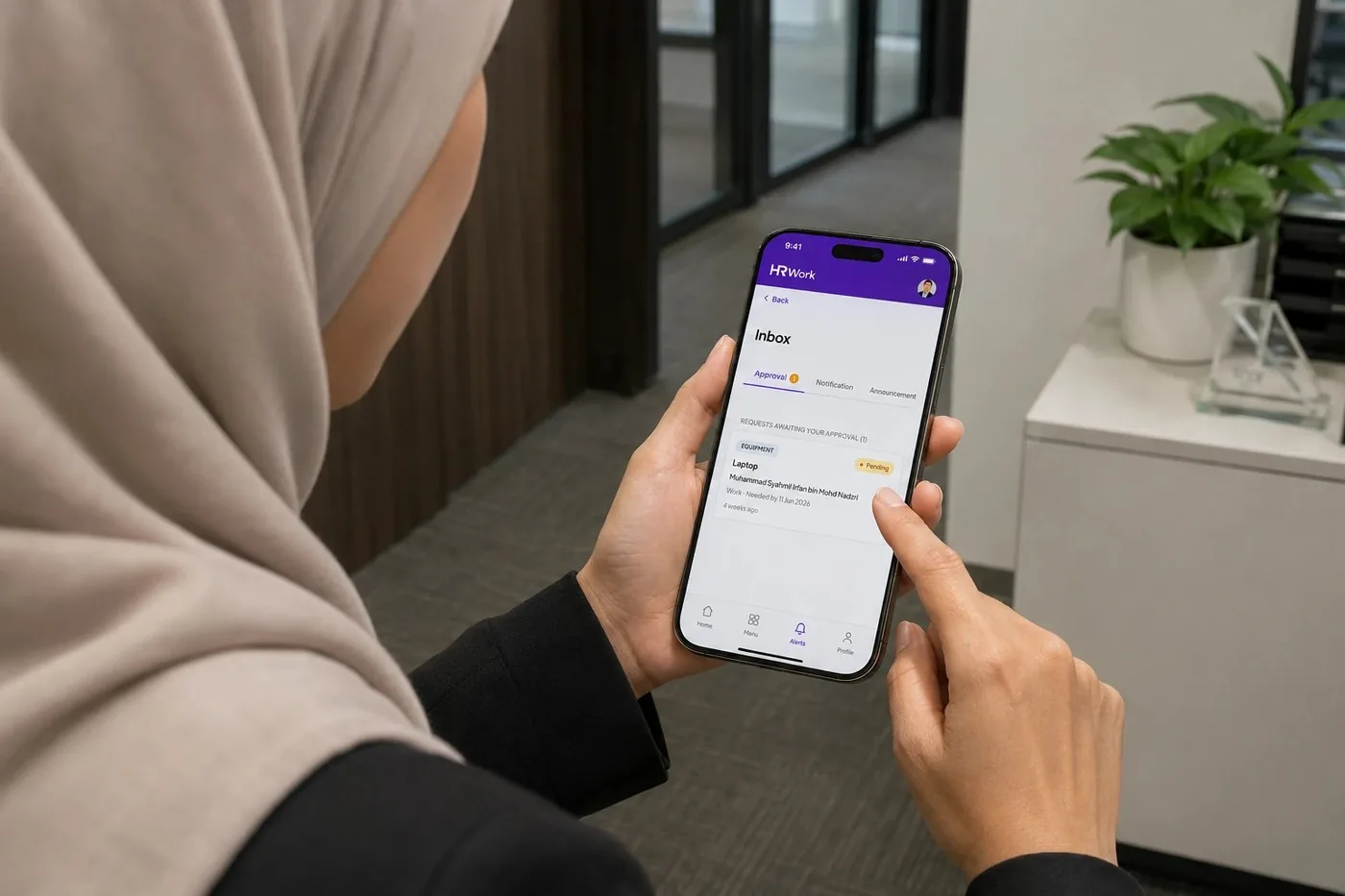
One approvals inbox
Leave, claims, overtime, documents and equipment requests all land in the same list and are approved with a tap, with the history kept beside each one.
And the rest: a shared team calendar with public holidays synced per state, claims and overtime that flow straight into payroll, recruitment with e-signed offer letters, KPI reviews, asset tracking, and an org chart that keeps itself current.

Faas.my
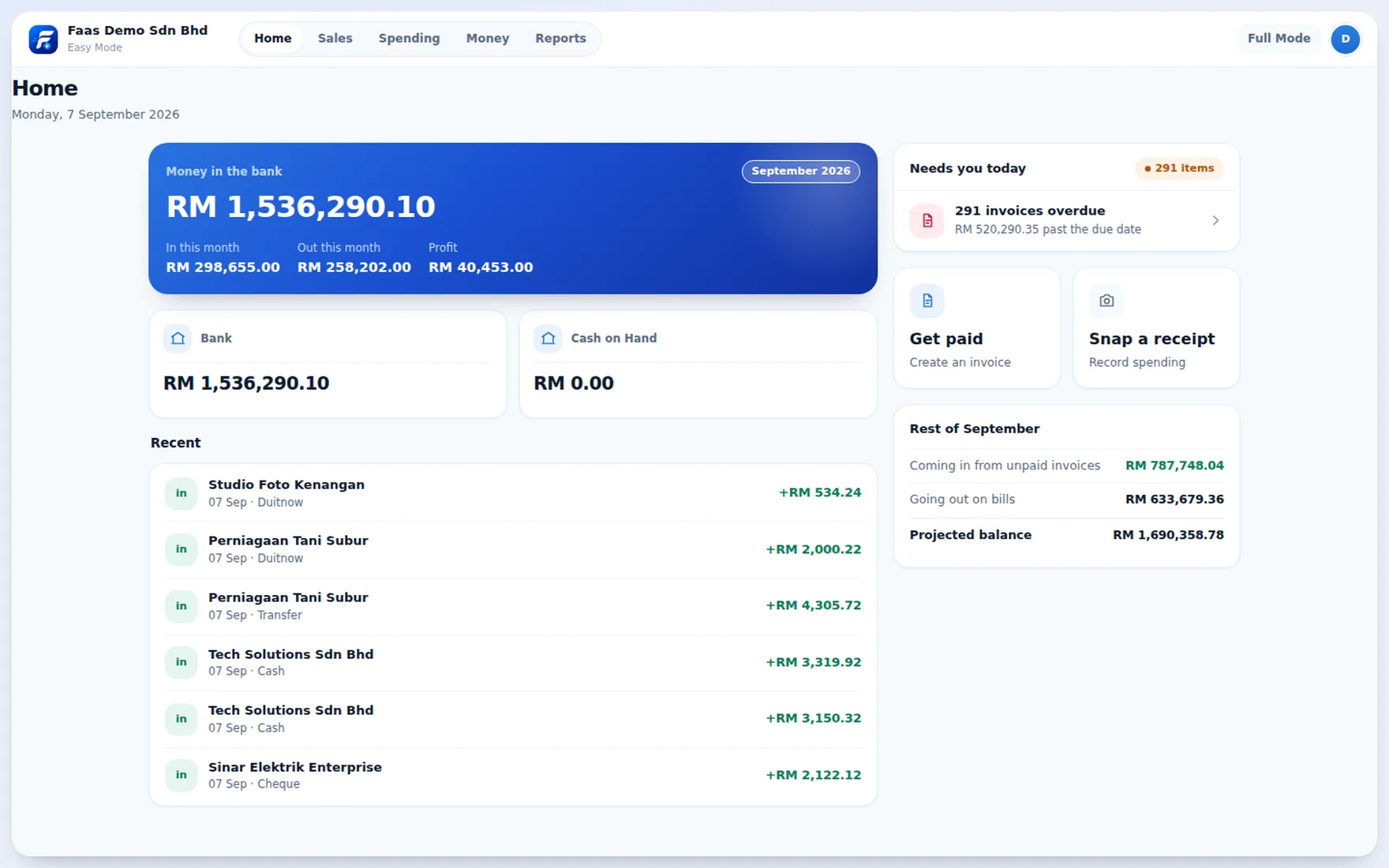
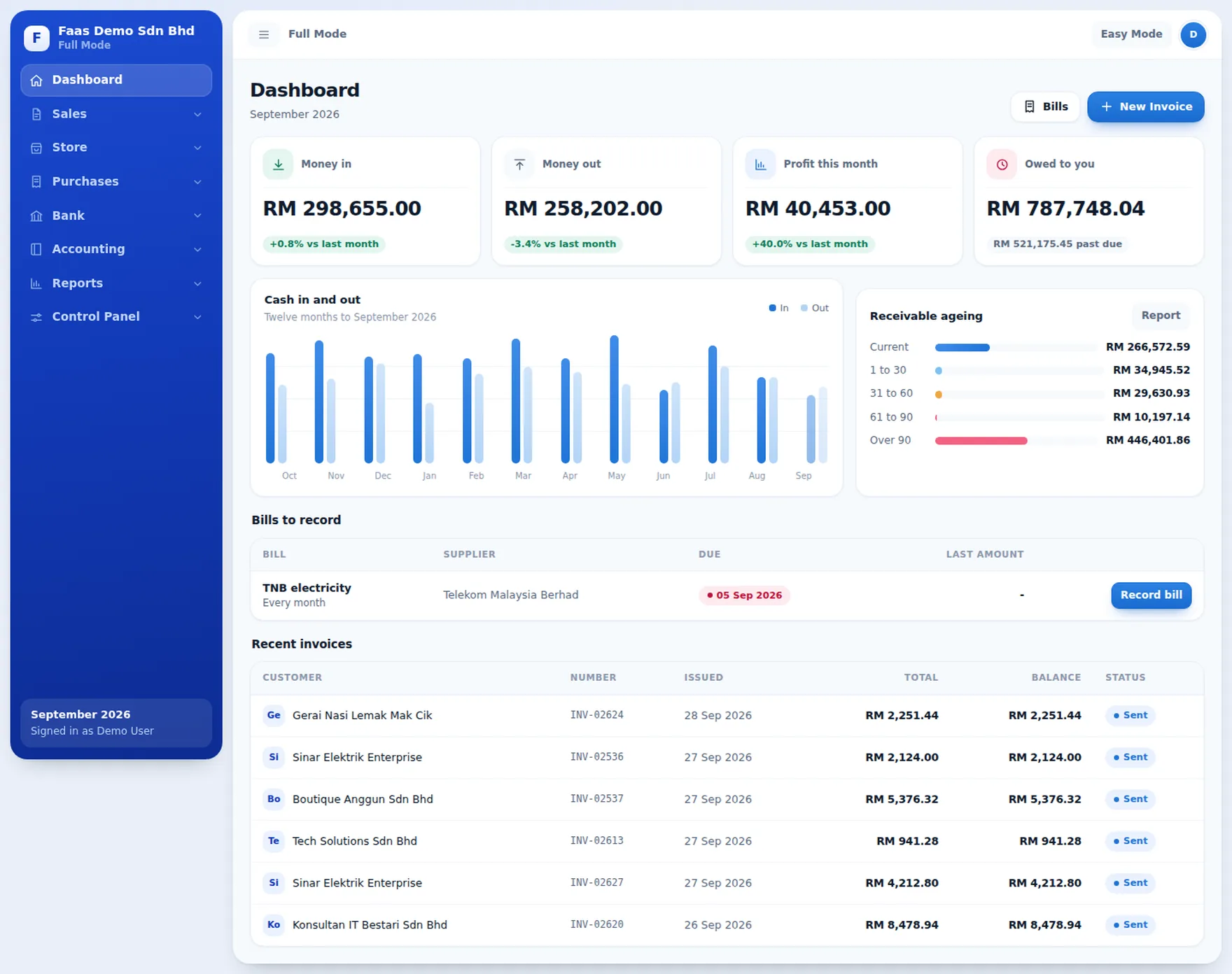
Double-entry accounting where the typing is done by AI and the owner only confirms. It is the newest of the four, still being built, and not open to sign-ups yet. The two screens below are the real app on a seeded demo company, not a mockup, and they are not a finished product either.
-
Snap the receipt, the bill writes itself
Drop a supplier invoice or a photograph of a receipt and it comes back as a draft with the vendor, the date, the line items and the tax already read off it, the original attached for whoever audits it later.
-
A bank statement, matched line by line
Upload the PDF or the CSV. Each row is matched against an invoice, a bill or a payment on amount, date and reference, with a confidence score, so what is left to do is a short list of yes or no.
-
Two views of one ledger
Easy Mode keeps debits, credits and account codes away from the owner. Full Mode gives the accountant journals, the chart of accounts, reconciliation, period locking and a one-click audit pack. Switching never changes the data.
Also on the way: a public pay link the customer settles by FPX, card or e-wallet, SST and LHDN e-Invoice, and an open API so the systems above post straight into the books.
Coming soon at faas.my